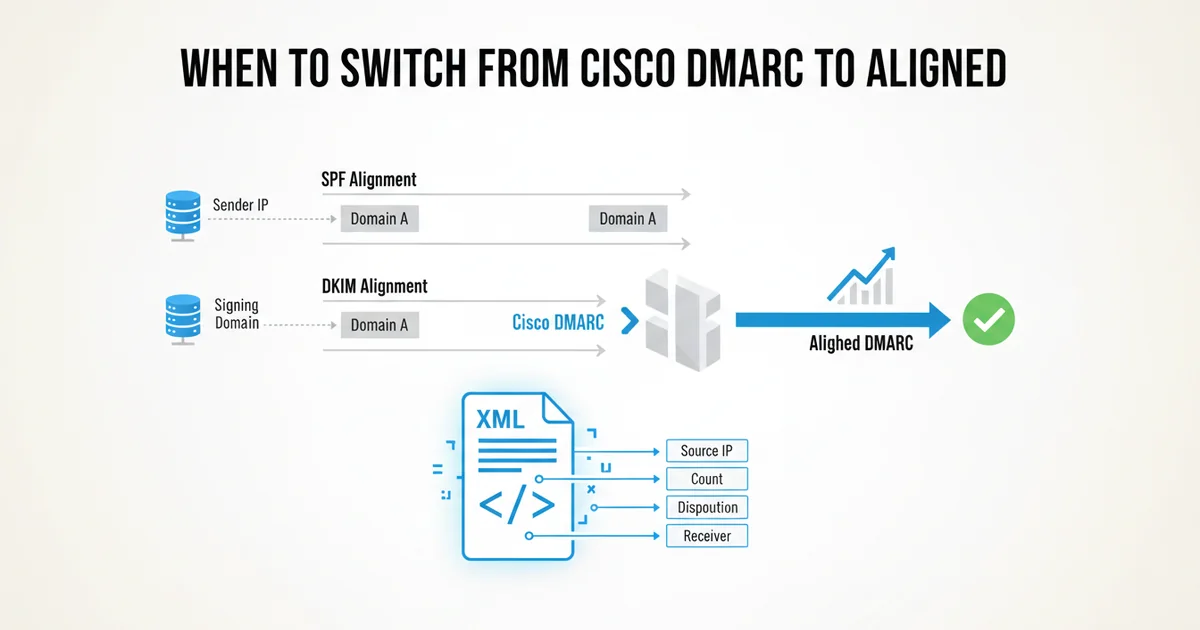
When to Switch from Cisco DMARC to Aligned
For many organizations, Cisco Secure Email (formerly ESA or IronPort) serves as a robust mail gateway, providing essential security and management for outbound and inbound email traffic. This often includes features related to DMARC, primarily focused on outbound DMARC enforcement and basic reporting for mail originating from Cisco's own MTAs. However, DMARC's full potential — particularly in gaining comprehensive visibility into all your email sending sources and their alignment status — often requires a more specialized tool.
This article is for engineers evaluating their DMARC strategy. We'll explore the scenarios where relying solely on Cisco DMARC's built-in capabilities might fall short and how a dedicated DMARC aggregate report parser like Aligned can fill those gaps, providing the actionable insights you need to move your DMARC policy towards p=reject with confidence.
Understanding Cisco DMARC's Role (and Its Limits)
Cisco Secure Email excels at controlling and securing the email flow through its appliances. When it comes to DMARC, its strengths typically lie in:
- Outbound DMARC Enforcement: Ensuring that email sent through your Cisco appliances is properly signed with DKIM and has a valid SPF record, aligning with your DMARC policy. This is crucial for your own reputation.
- Basic Reporting for Outbound Mail: Providing logs and potentially rudimentary reports on DMARC validation results for mail it sends. This helps you confirm your own infrastructure is DMARC compliant.
- Inbound DMARC Policy Application: Applying DMARC policies (
p=none,p=quarantine,p=reject) to incoming mail based on the sender's DMARC record.
Where Cisco DMARC capabilities often reach their limits is in providing a holistic view of your DMARC ecosystem, especially concerning:
- Third-Party Senders: Most organizations rely heavily on SaaS applications (Salesforce, Zendesk, Mailchimp, SendGrid, etc.) to send email on their behalf. Cisco's appliances don't send this mail, so they can't report on its DMARC alignment.
- Aggregated Report Parsing for Inbound Feedback: DMARC's true power comes from the aggregate (RUA) reports sent to you by receiving mail servers worldwide. These XML reports detail how all mail purporting to be from your domains, regardless of source, passed or failed DMARC. Parsing these is a specialized task.
- Actionable Root Cause Analysis: While Cisco can tell you if an incoming email failed DMARC, it's not designed to tell you why your own legitimate third-party senders are failing DMARC alignment, or what specific change you need to make to fix it.
Key Indicators You Might Need More than Cisco DMARC
If you're an engineer dealing with DMARC, certain pain points suggest that a dedicated DMARC parser like Aligned would be a significant upgrade.
1. You're Struggling with Third-Party Sender Alignment
This is perhaps the most common challenge. Your organization uses numerous SaaS platforms, and each needs proper SPF and DKIM configuration to align with your DMARC policy. Cisco's reports will only tell you about mail originating from your own MTAs. They won't help you diagnose issues with Salesforce, HubSpot, or your transactional email provider.
Real-world example: You've configured SPF and DKIM for your Salesforce instance to send emails from yourdomain.com. However, you're still seeing DMARC failures for Salesforce-sent emails in your aggregate reports. Cisco's logs will show that incoming mail from Salesforce to your users might pass or fail DMARC, but they won't tell you that your own Salesforce instance is failing DMARC alignment when sending out on behalf of yourdomain.com. You need a tool that ingests the aggregate reports from all receivers (Gmail, Outlook, etc.) that tell you:
Source IP: 13.111.x.x (Salesforce)
From Domain: yourdomain.com
SPF Result: Pass (domain: salesforce.com, but not aligned with yourdomain.com)
DKIM Result: Pass (domain: salesforce.com, but not aligned with yourdomain.com)
DMARC Result: Fail (p=none)
Without a parser, you're sifting through raw XML, trying to correlate IP ranges with known senders, and manually determining alignment issues.
2. Your DMARC Adoption is Stalled at p=none
Many organizations get stuck at p=none because they lack the confidence to move to p=quarantine or p=reject. This lack of confidence stems from insufficient visibility into legitimate email sources that might break. You see DMARC failures in your reports, but you can't easily identify the specific senders or the root cause of the failure.
Real-world example: Your DMARC aggregate reports show a significant percentage of SPF failures for emails purporting to be from yourdomain.com, but the From: header domain isn't aligning with the SPF domain. This could be a legitimate marketing sender using a subdomain like marketing.yourdomain.com that's not explicitly included in your yourdomain.com SPF record, or a simple misconfiguration. For instance, if you have include:spf.mailchimp.com in your primary SPF record, but a specific Mailchimp campaign is sending from news.yourdomain.com and news.yourdomain.com doesn't have its own SPF record or specifically include spf.mailchimp.com. A generic SPF Fail message isn't enough; you need to know which From: domain, which sending IP, and which specific SPF record was checked to diagnose and fix it.
3. Excessive Manual Effort for DMARC Troubleshooting
If you or your team are spending hours each week downloading XML files, running custom scripts, or using spreadsheets to parse DMARC aggregate reports, you're wasting valuable engineering time. This manual overhead is unsustainable and error-prone. Cisco's focus is on the mail stream; it doesn't provide a dashboard for all your DMARC aggregate report data from all receivers.
4. Lack of Granular Visibility into Alignment Failures
DMARC reports contain a wealth of information, but it's buried in XML. You need to know more than just "DMARC failed." You need to understand:
* Which specific From: domain was used?
* What was the sending IP address?
* Which SPF domain was checked, and what was its result?
* Which DKIM domain was signed, and what was its result?
* Did SPF and DKIM align with the From: domain? If not, why?
Without this granularity, troubleshooting becomes a guessing game.
5. You Have a Complex Multi-Domain or Multi-Tenant Environment
Managing DMARC across dozens or hundreds of domains, subdomains, or for different business units can quickly become a nightmare without a centralized tool. Collating reports, identifying issues, and tracking progress across such an environment is nearly impossible with basic tooling.
How Aligned Addresses These Challenges
Aligned is built specifically to solve the problems outlined above by providing deep, actionable insights from your DMARC aggregate reports.
- **Centralized Parsing